Troubleshooting Tip: How to troubleshoot Nginx 400 Bad Request with request header or cookie too large error message when proxied through FortiWeb

Solution

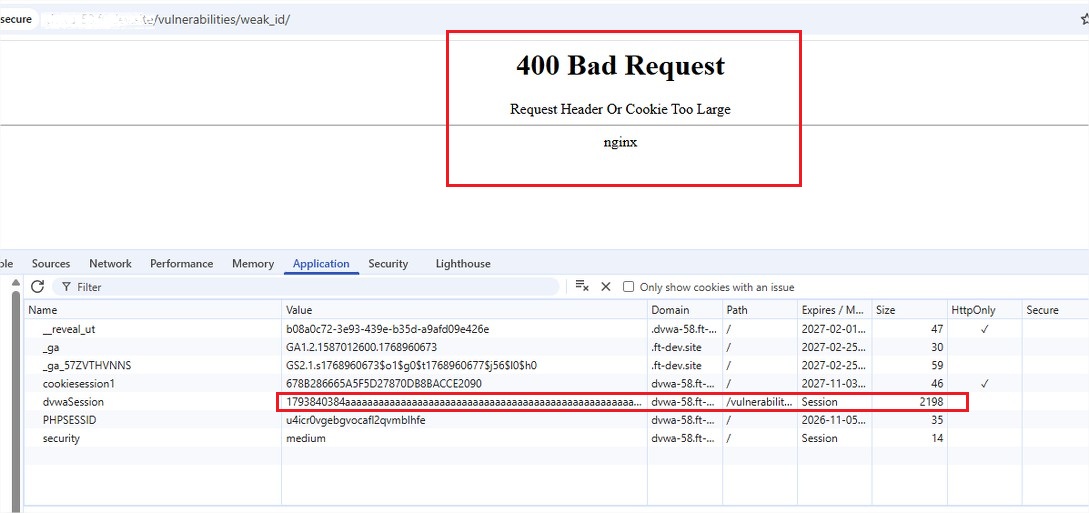
  1. In some applications with external IdP authentication, the request cookie header value may be generated with a large cookie header value content. The large header size may trigger an error in the backend Real Server, which runs on Nginx, when the header size exceeds the maximum size limit. The application shall return the error ‘400 Bad Request – request header or cookie too large’. The issue can be simulated by sending an HTTP request with the cookie header size of 2000 bytes.
3a0887ad.jpg

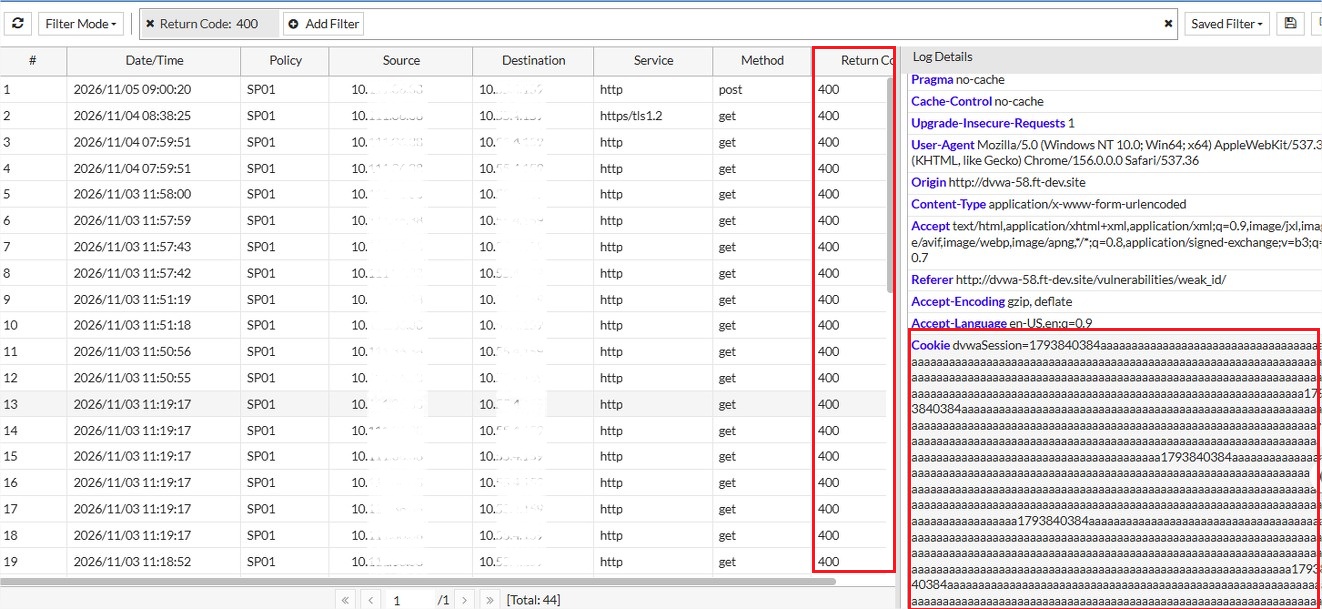
  1. In the FortiWeb traffic logs, it can be found with the request’s return code of 400 Bad Request.
87c3811c.jpg

  1. If the Nginx server has the error log level ‘Info’ enabled, the error log would contain the log message stated about the long header line.

671aeaa5.jpg

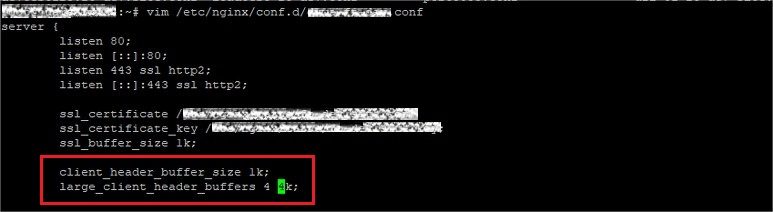
  1. The issue can be fixed by increasing the header size limit of the Nginx server. The size limit increment config can be applied on a per-virtual-host basis, which can be increased for a specific domain application config vhost. Restart/reload the Nginx server after changes are made.

    client_header_buffer_size 1k;
    large_client_header_buffers 4 4k;
1534c00d.jpg

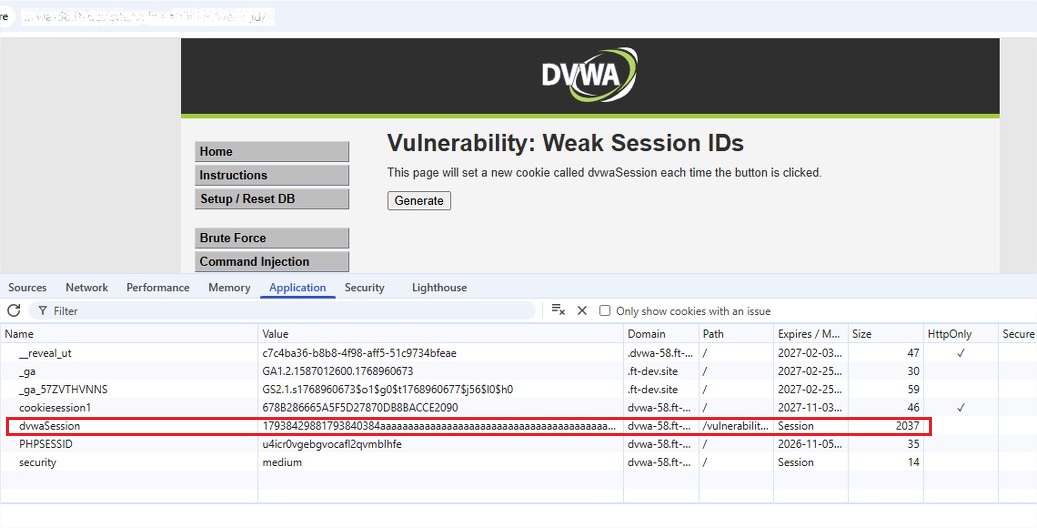
  1. Retry the similar HTTP request with a long cookie header value, and the page should be accessible now. Further increase the variable if the issue persists.
ba2029ff.jpg

Related document:

HTTP Security Headers

Read more here: Source link

Troubleshooting Tip: How to troubleshoot Nginx 400 Bad Request with request header or cookie too large error message when proxied through FortiWeb

Solution

  1. In some applications with external IdP authentication, the request cookie header value may be generated with a large cookie header value content. The large header size may trigger an error in the backend Real Server, which runs on Nginx, when the header size exceeds the maximum size limit. The application shall return the error ‘400 Bad Request – request header or cookie too large’. The issue can be simulated by sending an HTTP request with the cookie header size of 2000 bytes.

3a0887ad.jpg

  1. In the FortiWeb traffic logs, it can be found with the request’s return code of 400 Bad Request.

87c3811c.jpg

  1. If the Nginx server has the error log level ‘Info’ enabled, the error log would contain the log message stated about the long header line.

671aeaa5.jpg

  1. The issue can be fixed by increasing the header size limit of the Nginx server. The size limit increment config can be applied on a per-virtual-host basis, which can be increased for a specific domain application config vhost. Restart/reload the Nginx server after changes are made.

    client_header_buffer_size 1k;
    large_client_header_buffers 4 4k;

1534c00d.jpg

  1. Retry the similar HTTP request with a long cookie header value, and the page should be accessible now. Further increase the variable if the issue persists.

ba2029ff.jpg

Related document:

HTTP Security Headers

Read more here: Source link