


Lyrics-buddy – aid to entering, pasting, and formatting lyrics
MuseScore’s built-in lyrics entry is quite usable, letting you type or paste lyrics one word or syllable at a time. If the clipboard contains hyphenated words, MuseScore will automatically insert the hyphen as you insert each syllable.
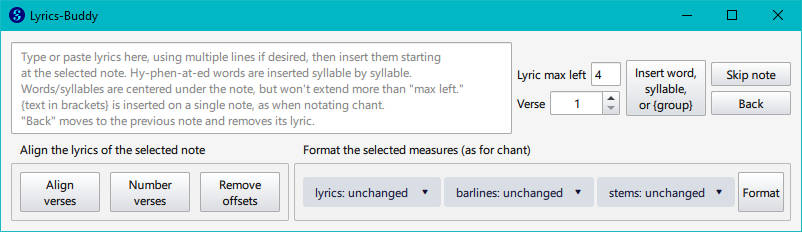
But Lyrics-buddy adds a few conveniences to entry and formatting of lyrics:
- Allows you to see the lyrics waiting to be inserted (rather than the invisible clipboard)
- Allows you to modify the remaining lyrics after you mess up insertion
- MuseScore defaults to centering each word or syllable under its note. This is usually fine, but it can sometimes cause the text to appear too far to the left of the note. Lyrics-buddy lets you specify a “left max” value to limit how far to the left of a note its lyrics may extend.
- When notating chant, it is common to have multiple words on the same note. You can do this in MuseScore by typing Ctrl-Space instead of Space between words, but this can make typing cumbersome. Lyrics-buddy will insert text wrapped in curly braces {} on a single note.
- Lets you align and number the text of multiple verses
- Lets you move lyrics from one Voice to another
Read more here: Source link