


FLIR Atlas SDK – Setting up a Visual Studio project with Atlas SDK 7.0
Open your solution or project in Visual Studio.
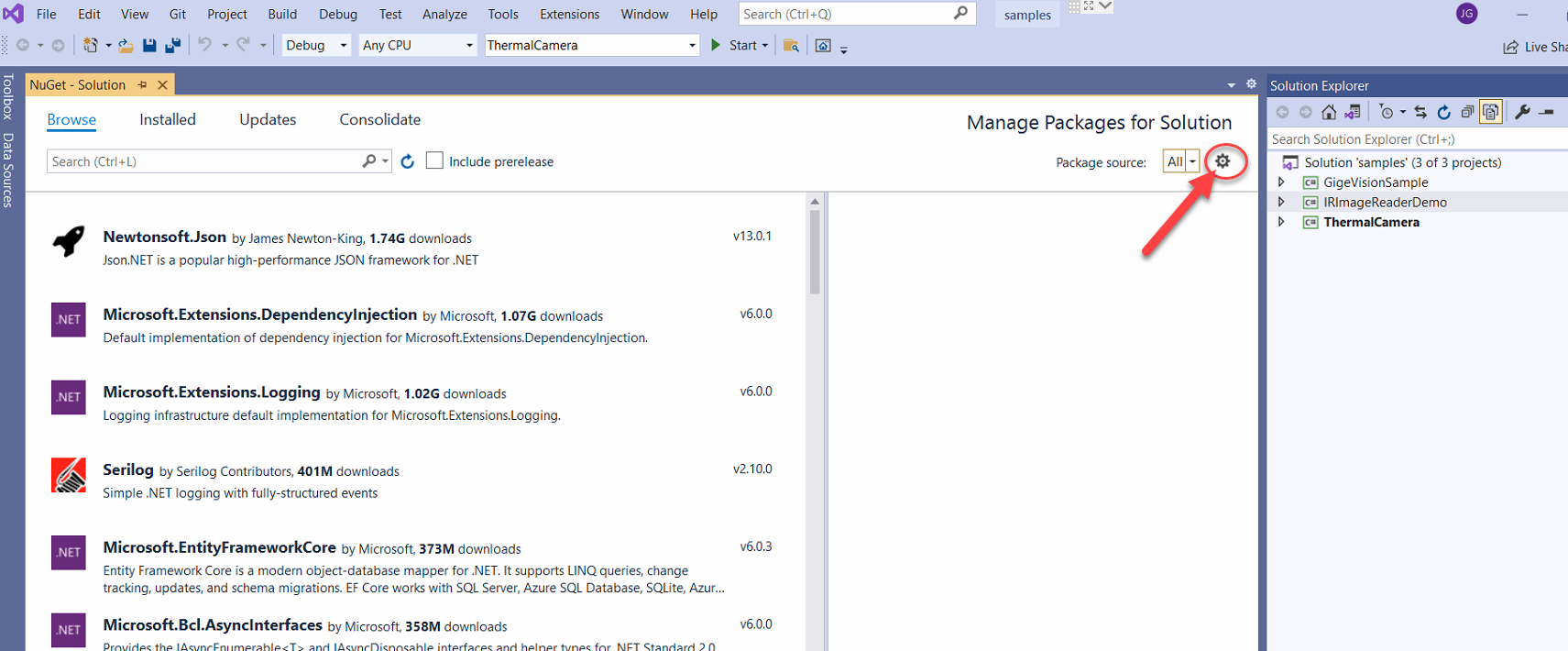
In Visual Studio, go to Tools > NuGet Package Manager > Manage NuGet Packages for Solution, as shown below.

Open the package settings.
Next, add a new package source.
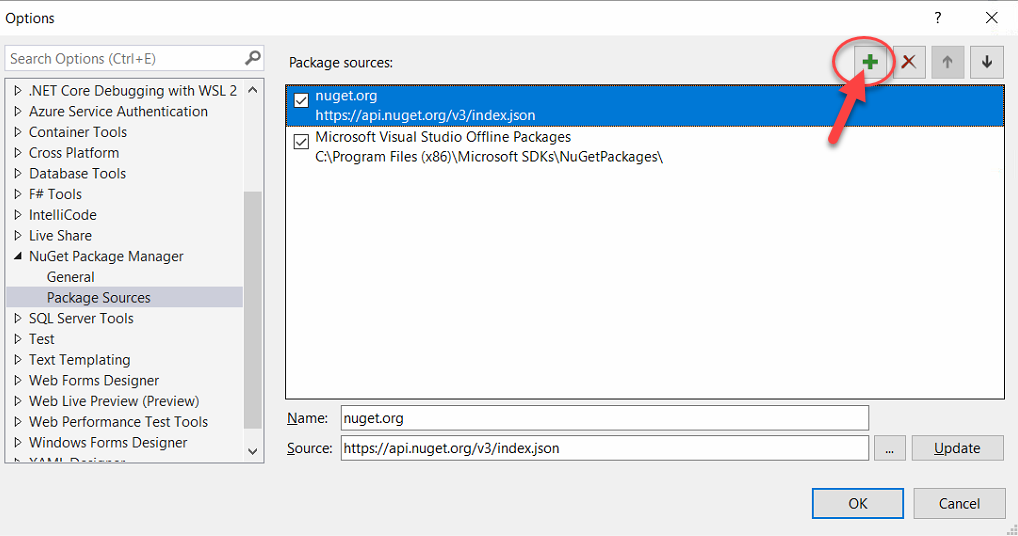
Name the new package source “Atlas SDK” or something similar.
Click the browse button and find the *.nupkg file that you downloaded earlier.
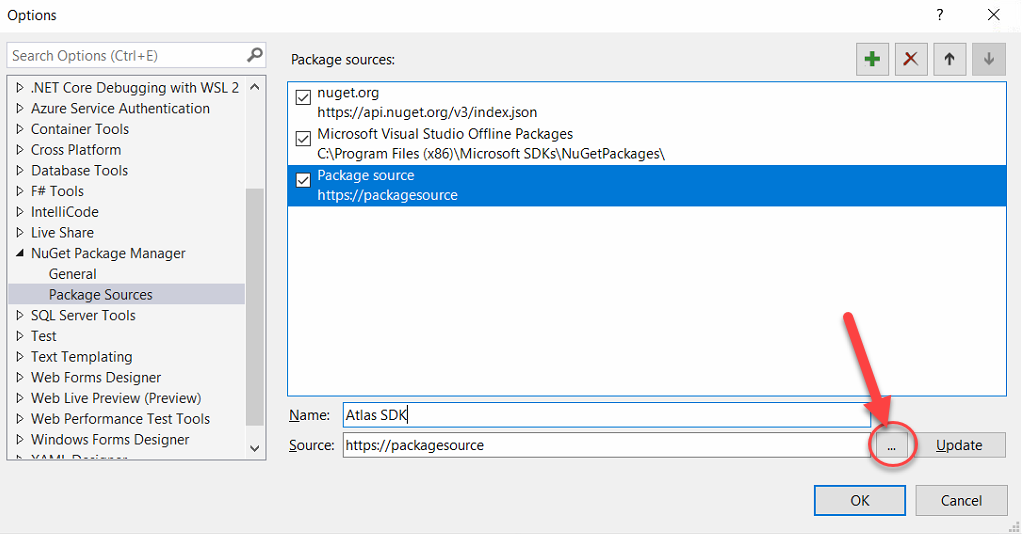
If all of this is done correctly, the Atlas package source has been added to Visual Studio. You should not need to add the package source this way for any future solutions.
Read more here: Source link