


Cortex-A55(ARMv8.2-A) source code debugging method – Arm Development Studio forum – Support forums
Thank you for your reply.
>If I understand the above correctly, you are using the ‘startup_Cortex-A55_Cortex-A75 example?
Yes, that’s right.
>DS-5 and Arm Development Studio do not use gdb to debug the target… you do not need to specify gdb. I’m not sure how you did that.
Since the target board is a virtual prototype, the development environment is complete on the PC.
The virtual prototype development tool uses Siemens VISTA.
Therefore, it is necessary to use gdbstub server to connect with the target board.
Therefore, “launch” included in the example cannot be used.
The debug configuration is using C/C++ Remote Application.
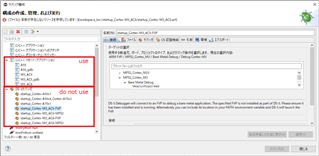
The reason I changed gdb was because I had to change it for the Cortex-M3.
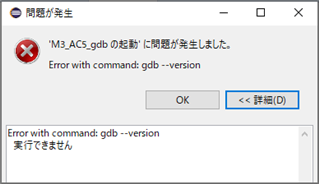
If I leave the default setting “gdb”, I get the following error:
* This means that it cannot be executed.
For Cortex-M3, I was able to debug the source code without any problem after changing to “arm-none-eabi-gdb.exe”.
Cortex-M3 can successfully debug source code with both ARM Compiler 5 and ARM Compiler 6.
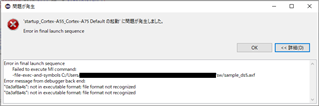
However, Cortex-A55 gives the following error.
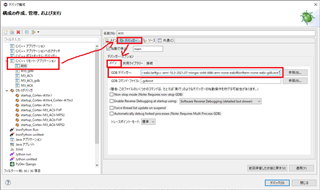
gdb is specified in the following way.
Read more here: Source link