


Parametric Trays for Lux-Tools Organizers (FreeCAD) by knackwurst | Download free STL model
Lux-Tools once made these specific black-and-yellow part organizers that are 41 cm wide. As far as I know, they’re no longer produced. I own about a dozen of them and wanted custom trays to better use the space, so I made a parametric model in FreeCAD.
With this file you can generate trays in any grid size you need: 2×2, 6×3, 1×1 … whatever fits. You can also set a custom height. The trays are stackable, so mixing heights is easy.
Table of Contents
What you’ll need
FreeCAD
Install the latest version. I’m using FreeCAD 1.1.0 (2025-07-18). Older versions may have issues because this project uses variable sets.
The model file
Download the file and open it in FreeCAD.
A 3D printer
You’ll export trays as .3mf and print them. Duh… 🙂
First time using FreeCAD?
- Open the file. In the Tree view on the left, find the variable set named “Settings.”
- Right-click Settings → Properties.
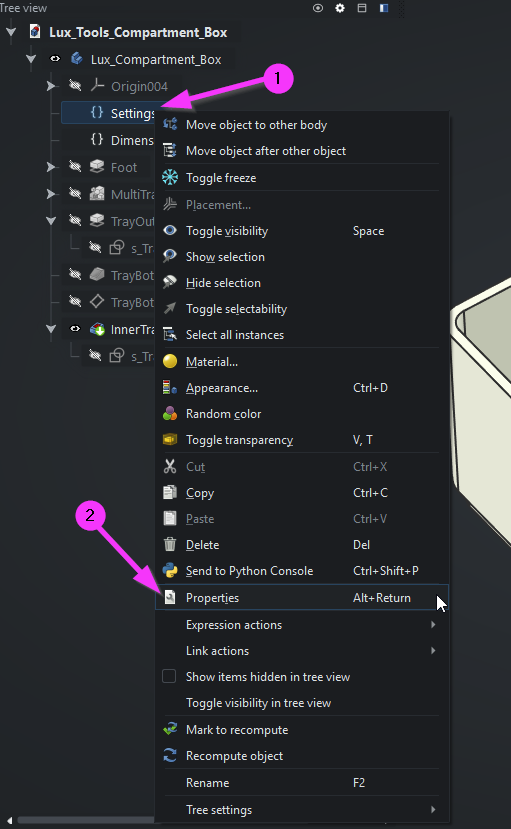
In the Property view, set Size X and Size Y to your desired grid (e.g., X=6, Y=3). The model updates automatically.
(Optional) Set Tray Height to your preference.
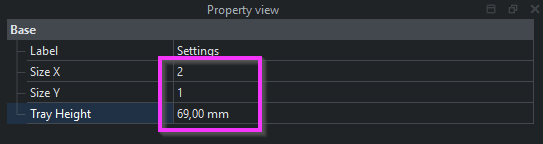
Default is 69 mm, which fills the organizer’s full height and allows the lid to close.
Because trays are stackable, you can print two shorter trays and stack them—as long as the combined height doesn’t exceed 69 mm, the lid will still shut and hold them in place.
How to export
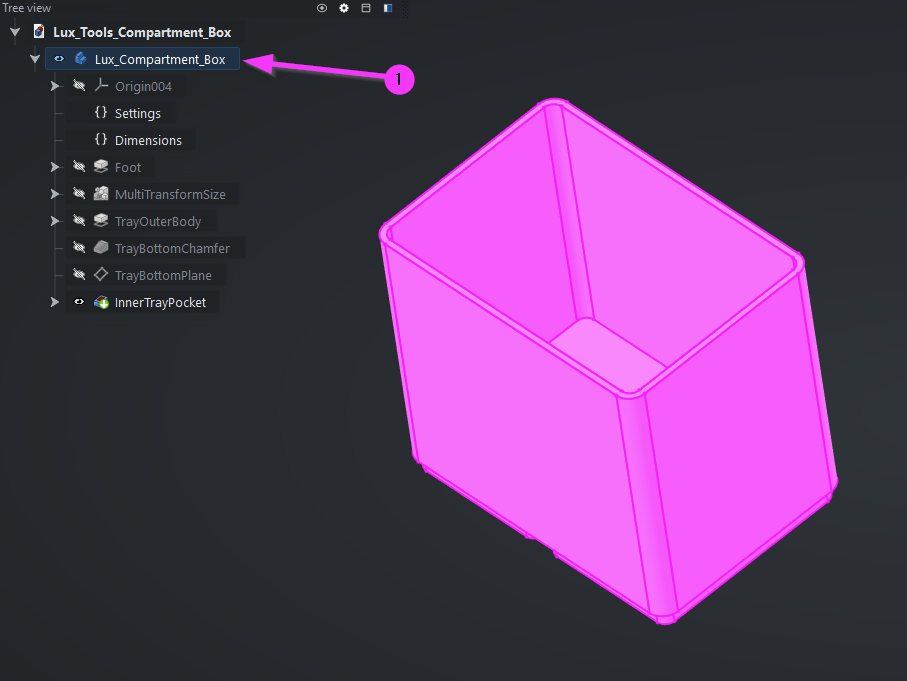
- In the Tree view, select Lux_Compartment_Box.
- Press Ctrl + E to export.
- Choose .3mf and slice/print as usual.
Happy printing! If you make improvements or new sizes, please share them.
The author marked this model as their own original creation.
Read more here: Source link